Removing backgrounds one image at a time is slow, tedious, and doesn't scale. Whether you're preparing dozens of product photos, cleaning up a batch of portraits, or processing graphics for a campaign, doing it manually wastes hours you don't have.
BatchRemover is an AI-powered bulk background remover that lets you remove backgrounds from multiple images in a single upload, no Photoshop or plugins required.
What Is a Bulk Background Remover?
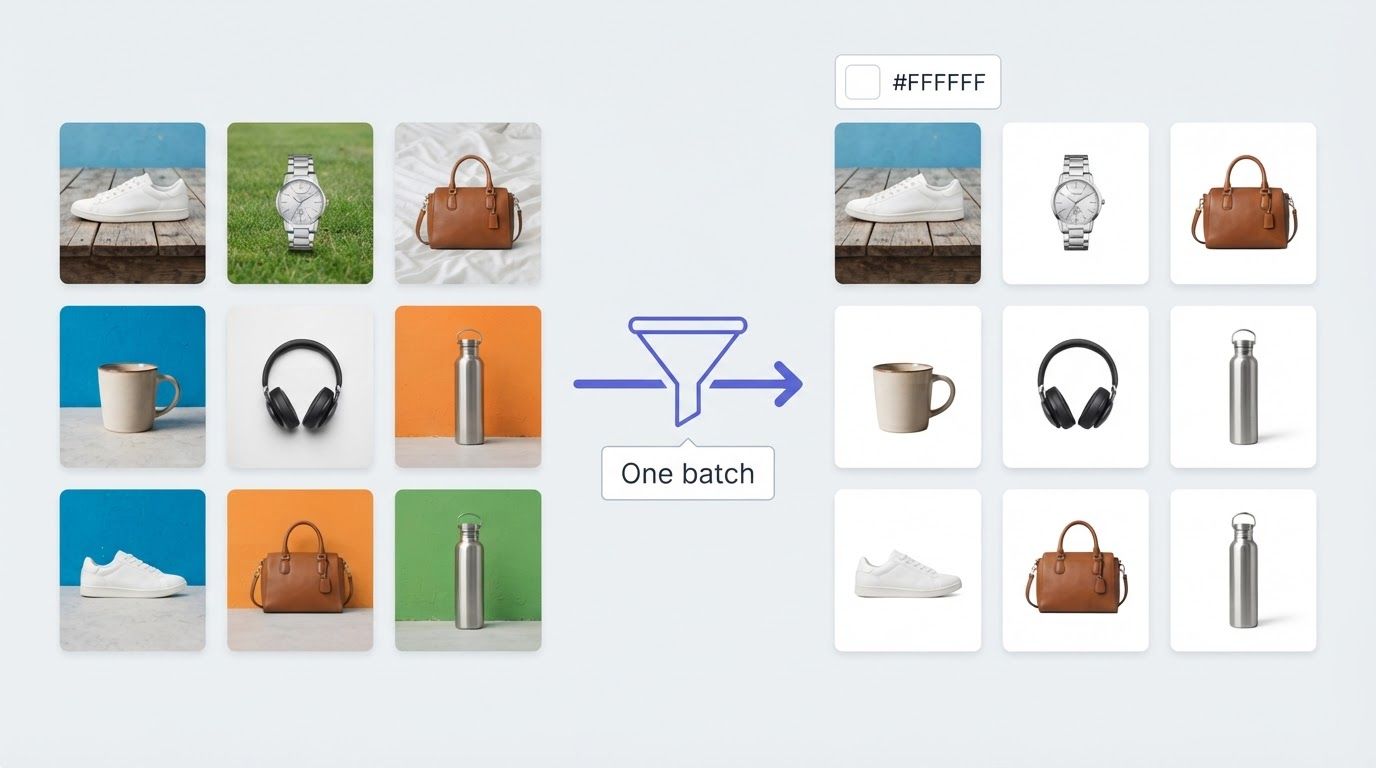
A bulk background remover is a tool that lets you remove image backgrounds from many photos at the same time, automatically. Instead of uploading one photo, waiting, downloading, then repeating, you upload all your images at once and the AI automatically detects and isolates the foreground subject in each one.
This is different from tools like Canva's background remover or Adobe's background removal feature, which process images one at a time. A dedicated bulk background remover online is built to handle batches, whether that's 10 images or hundreds in one go.
It's especially useful for:
- E-commerce sellers: ideal for product catalogs on Amazon, Shopify, or Etsy
- Photographers: automate background removal across dozens of portraits from a shoot
- Content creators: prepare social media content and marketing materials without manual editing
- Graphic designers: streamline projects by processing entire asset sets at once
How to Bulk Remove Backgrounds with BatchRemover (Step-by-Step Tutorial)
Step 1: Upload Multiple Images
Go to BatchRemover and drag and drop your images directly onto the upload area, or click to select files from your device. You can upload multiple images at once in JPG, PNG, or WebP format. Yearly plan users can upload an entire folder directly, making it even faster to kick off a large batch. Need to process just one image? BatchRemover also supports single image removal with no signup required.


Drag and drop images or folders
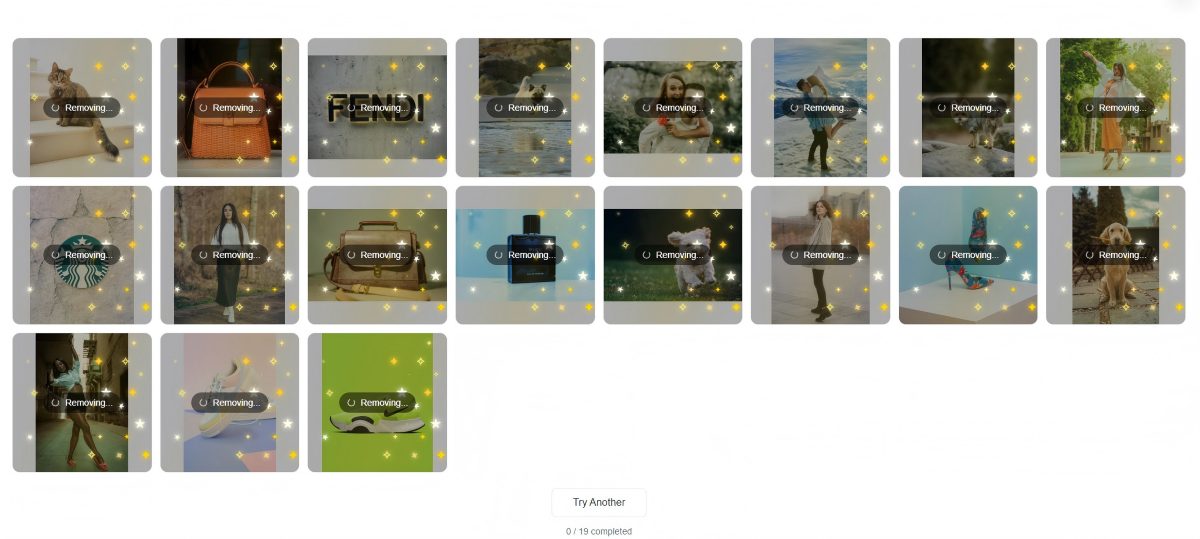
Step 2: AI Automatically Detects and Removes Each Background
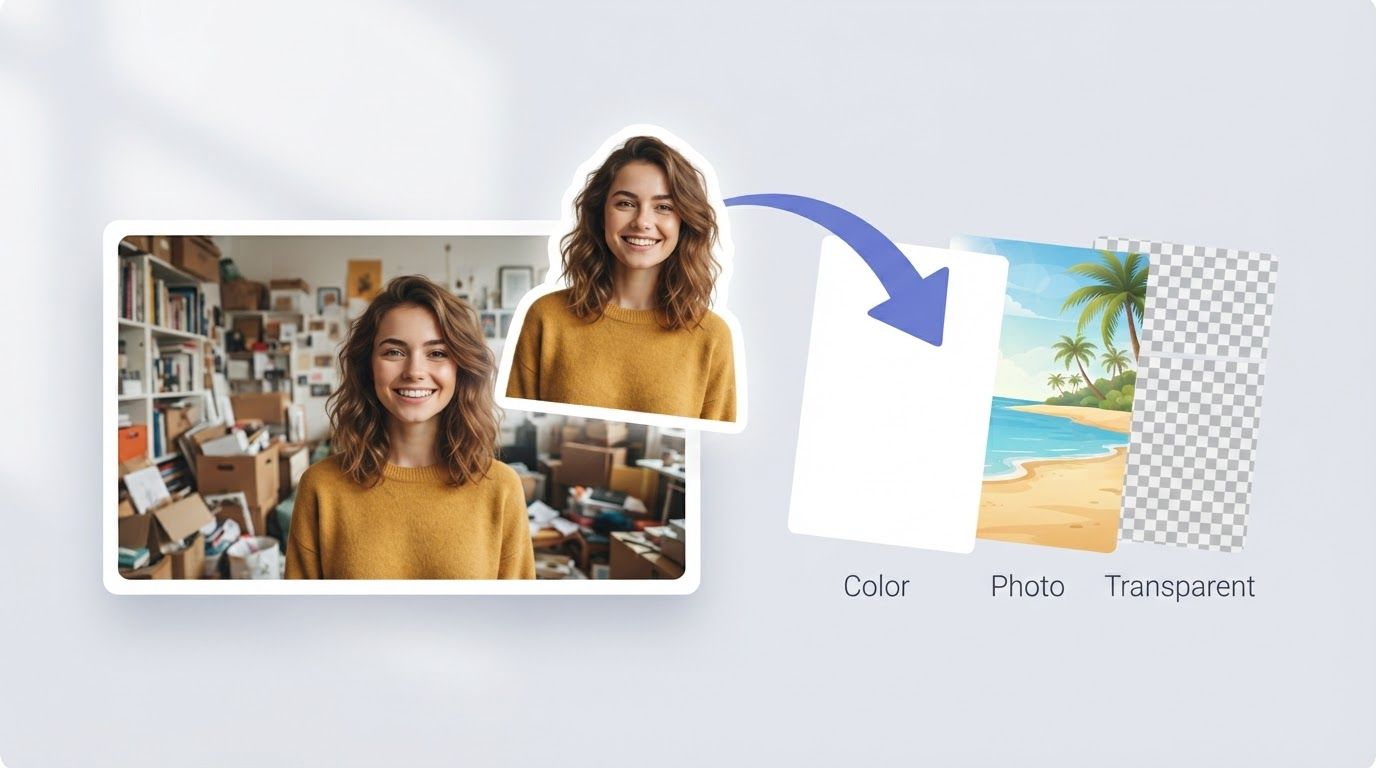
BatchRemover's AI-powered background removal tool processes every image in your batch simultaneously. The AI automatically detects the subject, whether it's a product, a portrait, an animal, a logo, or a graphic, and removes the background cleanly, preserving fine edges like hair, fur, and transparent areas.
Processing happens in parallel, so removing image backgrounds from 20 photos takes roughly the same time as processing one.
Step 3: Review and Polish
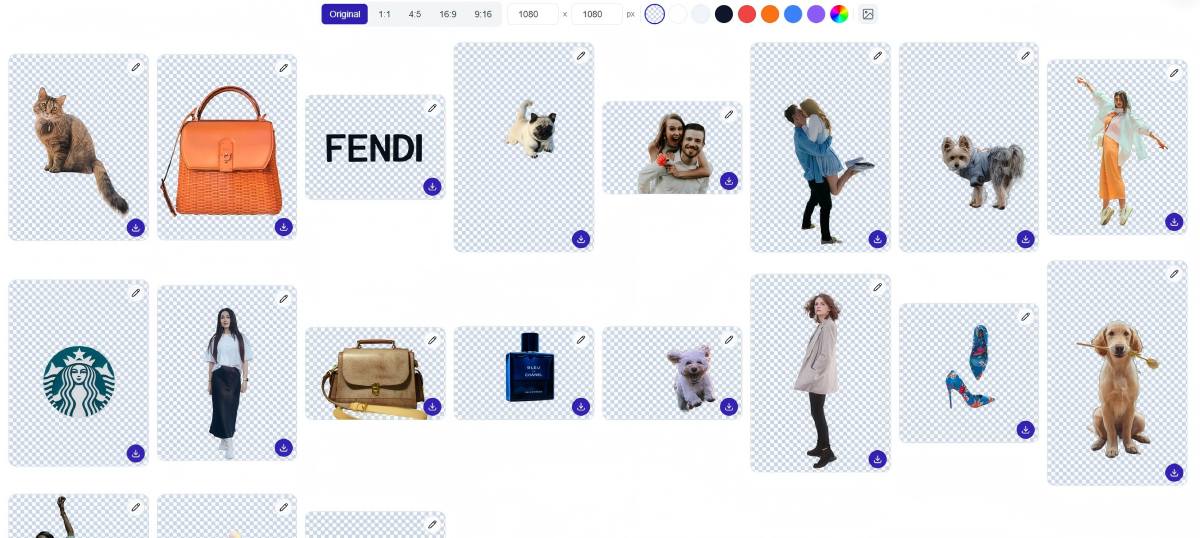
Once processing is complete, preview every result in the batch. You can apply changes to all images at once: adjust the background color, swap in a custom background image, or resize the canvas in bulk. Prefer to fine-tune a specific photo? Switch to single-image edit mode to refine edges, tweak the cutout, or set a different background for that image individually.
Step 4: Download All with One Click
Download your entire batch as a ZIP file with one click. Every image is exported as a transparent background PNG, high-resolution, ready to use in any design tool, e-commerce platform, or publishing workflow. You can also export as JPG or WebP if file size matters for your use case.
Why Use a Bulk Background Remover Instead of Photoshop or Canva?
Tools like Photoshop and Canva are excellent for editing images one at a time, but they're not designed for image processing at scale. Here's how a dedicated bg remover compares:
| BatchRemover | Photoshop | Canva | |
|---|---|---|---|
| Bulk processing | ✅ Yes (paid plan) | ❌ Manual, one at a time | ❌ One at a time |
| Single image free | ✅ Yes, no signup | ❌ Paid subscription | ⚠️ Limited free tier |
| Browser-based | ✅ Yes | ❌ Desktop app | ✅ Yes |
| High-resolution output | ✅ Yes | ✅ Yes | ⚠️ Compressed on free |
| Folder upload | ✅ Yearly plan | ❌ | ❌ |
| Remove.bg alternative | ✅ Batch capable | — | — |
BatchRemover is designed for users who need professional results at volume, with transparent pricing and no per-image watermarks.
Who Benefits Most from Bulk Background Removal?
E-Commerce and Product Photos
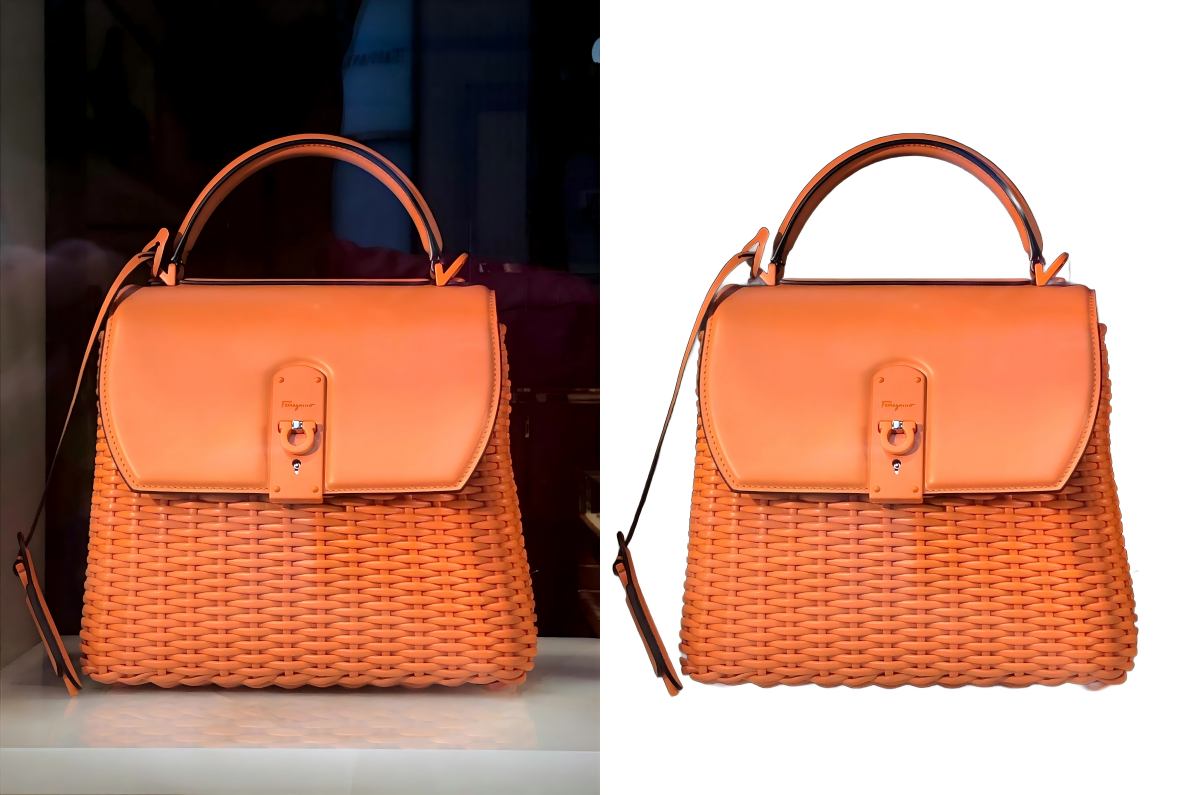
Online marketplaces require clean white background product images. Processing an entire product catalog pixel by pixel in Photoshop is unsustainable. With a batch background remover, you can prepare hundreds of images in the time it used to take to edit a single photo, with seamless, consistent results every time.
Photographers and Portrait Studios
Photographers often need to deliver 50 to 100 images after a shoot. Bulk bg removal automates the most repetitive part of post-processing, letting you focus on color grading and retouching rather than manually removing image backgrounds one at a time.
Marketing and Social Media Teams
Marketing teams regularly produce large volumes of creative assets. A bulk image background remover means every image in a campaign set gets processed consistently, with no waiting for a designer and no inconsistent cutouts across your marketing materials.
Graphic Designers
When working on graphic design projects, you often need the same asset on a transparent background across multiple file sizes and formats. Batch processing handles it in one go, with different backgrounds applied per variant if needed.
Is It Privacy Friendly?
Yes. BatchRemover does not store your images permanently. Files are processed and automatically deleted after your session. You're not uploading original content to a platform that indexes or trains on your data. What you upload stays private.
Does It Work on Mobile Devices?
Yes. BatchRemover runs entirely in your browser, no app download required. The background remover tool is compatible with mobile devices including iPhone and Android, so you can remove bg from images online wherever you are.
Tips for the Best Results
High contrast makes cleaner cutouts. The AI performs best when the subject is clearly distinct from the photo background. Busy or similarly-colored backgrounds may need a small amount of manual cleanup.
Use PNG for transparent backgrounds. PNG preserves the transparent areas. If you export as JPG or WebP, a white background color is applied automatically.
Process in one session. If you have thousands of images to process across a large product catalog, uploading everything in one batch is faster than multiple smaller uploads.
Check edges on complex images. Images with hair, fur, or fine detail (like portraits) may have slightly rough edges. Use the editor to polish those before downloading.
Frequently Asked Questions
How to remove backgrounds in bulk?
Upload all your images to BatchRemover at once. The AI will automatically detect and remove image backgrounds from every file simultaneously. Download the results as a ZIP file with one click, no manual masking or Photoshop skills needed.
Is there a free option?
Single image background removal is free with no account required. Bulk processing (removing backgrounds from multiple images at once) requires a paid plan. Lifetime and Yearly plans are available depending on your volume needs.
Can ChatGPT remove background?
ChatGPT can describe how to remove a background, but it cannot process images as a bulk background remover. For actually removing image backgrounds from multiple images at once, you need a dedicated tool like BatchRemover that handles the image processing directly in the browser.
What's the best background remover for bulk processing?
BatchRemover is purpose-built for batch processing: upload multiple images at once, process them in parallel, and download as a ZIP. For single images with no account required, BatchRemover's free tier also works with no watermarks on the output.
What image formats are supported?
JPG, PNG, and WebP for both input and output. PNG output preserves the transparent background. JPG and WebP apply a white background automatically.
Does bulk background removal reduce image quality or resolution?
No. BatchRemover outputs images at the same resolution as the originals. There's no compression or quality loss applied during background removal.
Is signing up required for bulk removal?
Bulk background removal requires a paid plan (Lifetime or Yearly). Single image removal is free with no account required. See our free background remover guide for details.
Start Removing Backgrounds in Bulk
Stop editing images one at a time. Upload your entire batch, let the AI work, and download everything in seconds. No watermarks. No slowdowns.