Free Car Background Remover
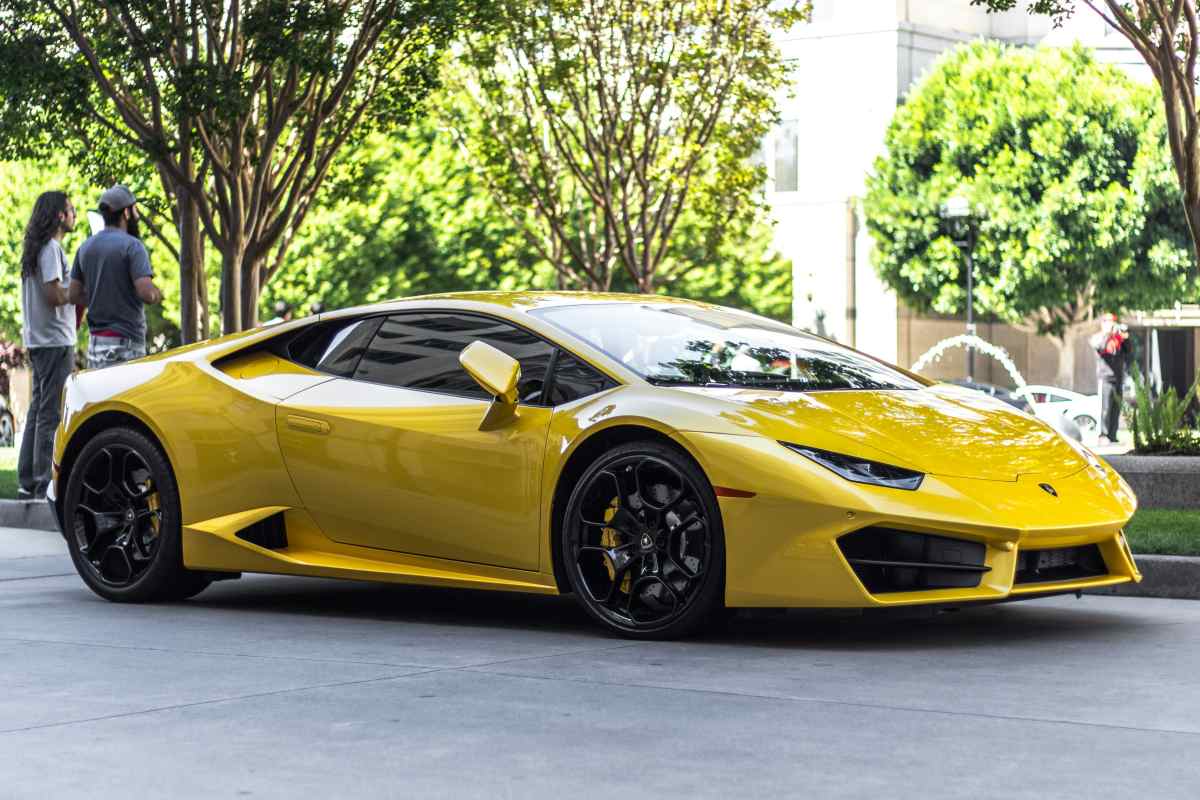
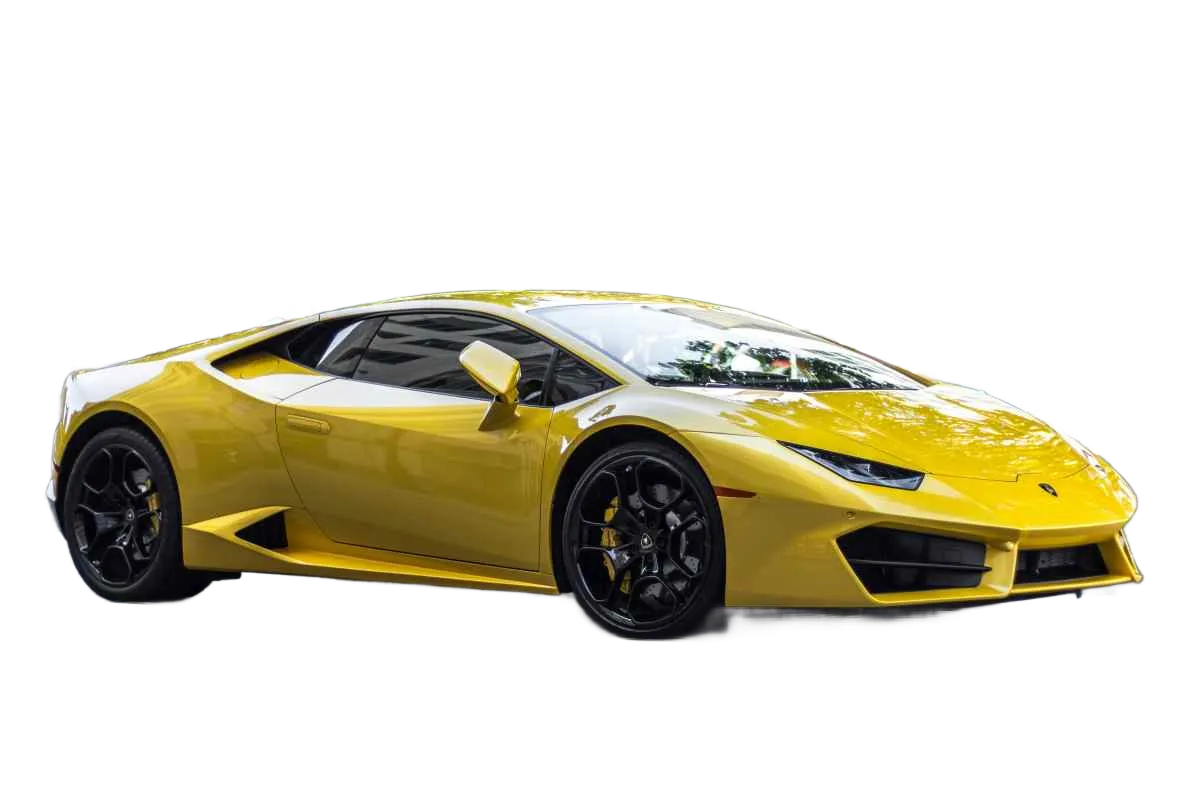
Remove the messy lot behind your car and replace it with a clean white, transparent, or showroom background that makes every listing look professional. Free car background remover.
Drag and drop images or folders
By uploading images, you agree to the BatchRemover Terms of Use and Privacy Policy
Car Photos That Sell, Not Just Show
A clean, consistent background makes the car the only thing buyers look at. Get a showroom finish without the showroom.
White, Transparent, or Showroom Background
One click swaps a cluttered parking lot for a pure white background, a transparent PNG, or a branded showroom scene. Match your dealer site, marketplace, or ad in seconds, with the same clean look every time.
Handles Reflections and Glass
Car paint, windows, and chrome reflect the old lot, the building, and even the photographer. The AI cuts the car cleanly so the new background looks real, with no leftover scenery bleeding through the glass or shining off the doors.
Sharp Wheels, Mirrors, and Grille
Wheel spokes, side mirrors, antennas, and grille slats are where most tools fail. BatchRemover keeps these fine edges crisp, with no white halo, no chopped mirror, and no jagged outline around the body.
Clean Your Whole Inventory at Once
Removing the background from one car photo is free with no signup. Got a full lot to list? Upgrade to batch every shot of every car and get the same background, crop, and finish across the entire set.
Remove a Car Background in 3 Steps
No Photoshop, no editing skills. Turn a parking-lot snapshot into a clean listing photo in seconds.
Upload Your Car Photos
Drag in one shot or a whole folder of exterior and interior photos. JPG, PNG, and WebP all work. A busy lot, other cars, or people in the frame are fine, the AI handles it.
AI Removes the Background
The AI detects the car, erases the original lot, and cleans up reflections and edges. Drop in a pure white background, a transparent layer, or a showroom scene. The car itself stays untouched.
Pick a Background and Download
Choose white, transparent, or a custom background, set your crop, and export a high-resolution image ready for any listing site, marketplace, or ad.
The Right Background for Every Car Platform
Most car platforms favour a clean, distraction-free background. Here is what works best where you list.
| Platform | Recommended background | Tip |
|---|---|---|
| Dealer website / DMS | White or branded showroom | Use one consistent background across the whole inventory |
| AutoTrader / CarGurus | Plain white | Keep the full car in frame with even margins |
| Cars.com | Plain white or light grey | A clean background lifts the click-through on the main photo |
| Facebook Marketplace | White or high-contrast | A crisp cut-out stands out in a busy, cluttered feed |
| eBay Motors | Plain white | White matches the product-style listing grid |
| Instagram / ads | Transparent or custom scene | Drop the car onto a branded or seasonal background |
Platform rules change over time. Always confirm the latest photo guidelines for the site you list on.
Built for Everyone Who Sells Cars
Dealerships
List dozens of cars a week with one uniform look. Batch every vehicle onto the same clean background so your inventory page reads like a real showroom instead of a parking lot.
Private Sellers
Selling your own car on Marketplace or Craigslist? A clean white background makes a phone snapshot look like a dealer photo and pulls in more serious buyers.
Auto Photographers
Deliver edited inventory to dealer clients in minutes instead of hours. Skip the manual masking on every wheel, mirror, and grille for each car.
Marketing and Ads
Cut the car out and place it on any scene for banners, social posts, and campaigns. Transparent PNGs drop straight into your design tool.
Rental and Auction
Show every vehicle in a fleet or auction catalog on a consistent, professional background that builds trust at a glance.
Manual Photo Editing vs BatchRemover
Editing car photos by hand in Photoshop is slow and easy to get wrong. Here is how the AI tool compares.
✦ RecommendedBatchRemover | Manual Photoshop editing | |
|---|---|---|
| Time per car | Seconds for the whole set | 30 to 60 minutes of masking |
| Wheels and mirrors | Fine edges kept automatically | Tedious manual masking, often messy |
| Reflections and glass | Cleaned by the AI | Hand-painted, hard to get right |
| Batch consistency | Same background across every car | Varies shot to shot |
| Skill needed | None, just upload | Photo-editing experience required |
| Cost | Free for one photo, low-cost batch plans | Pricey software or outsourced editing |
Frequently Asked Questions
Can it handle reflections on the car paint and windows?
Yes. Reflective paint, windscreens, and chrome are the hardest part of car cut-outs because they bounce back the old parking lot. The AI separates the car from its surroundings and removes the background cleanly, so the new white or custom scene looks natural, with no old buildings or sky showing through the glass.
Will the wheels, mirrors, and grille stay sharp?
Yes. Thin spokes, side mirrors, antennas, and grille slats are detected and kept crisp against the new background. You get a clean outline with no white halo and no chopped-off details, the kind of edge quality buyers expect on a professional listing.
Can I put my cars on a pure white background?
Yes. White is the default and the most common choice for dealer sites, AutoTrader, eBay Motors, and most marketplaces. You can also export a transparent PNG or drop the car onto a branded showroom scene, then download in full resolution.
Can I process my whole inventory at once?
Removing the background from a single car photo is free with no signup. To process many photos in one batch, for a full lot or a week of new arrivals, you upgrade to a paid plan. That keeps the background, crop, and look consistent across every car you list.
Do the photos stay consistent across the whole listing?
Yes. When you batch a set, every shot gets the same background, the same crop, and the same edge treatment. A consistent inventory page looks far more trustworthy than a mix of parking-lot snapshots, and it lifts buyer confidence.
Can I add a shadow so the car does not look like it is floating?
Yes. After the background is removed you can place the car on a background that includes a natural ground shadow or reflection, so it sits realistically instead of looking pasted in. This keeps the result looking professional rather than obviously edited.
What photos work best for car background removal?
Clear, well-lit exterior shots taken from a normal angle work best. Even a busy lot with other cars or people in the frame is fine, the AI isolates your car. Interior and detail shots use the same one-click removal, so your whole gallery can share one clean look.
Give Every Car a Clean, Professional Background
Upload your car photos, remove the messy lot, and get a white, transparent, or showroom background that makes your listings stand out. Free for a single photo, no signup.