Free Background Remover Online — Full HD, No Signup
Remove background from any image and download at your original resolution. No signup, no watermark. 100% Free.


Drag and drop images or folders
By uploading images, you agree to the BatchRemover Terms of Use and Privacy Policy
Remove Backgrounds from Any Image
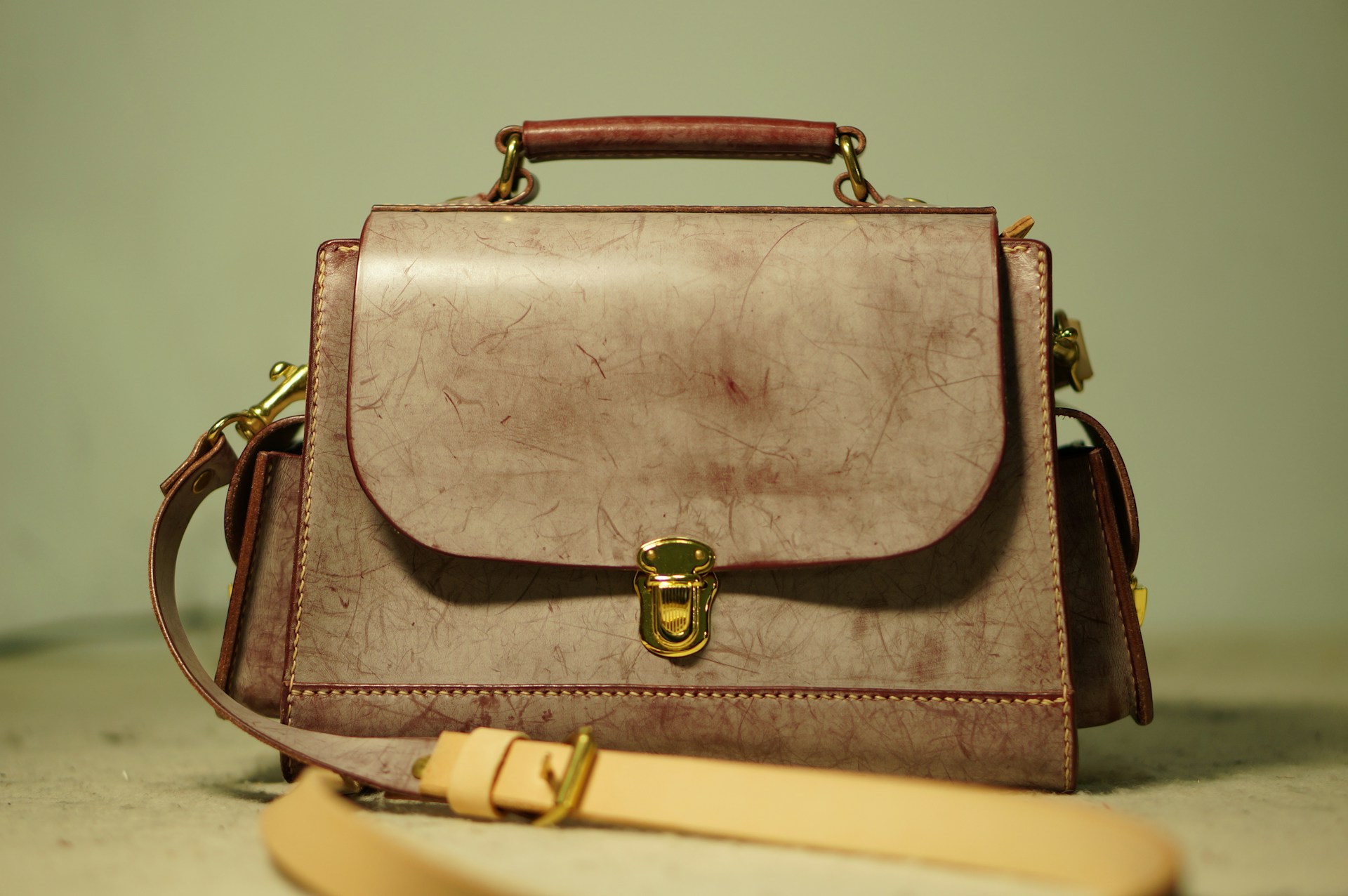
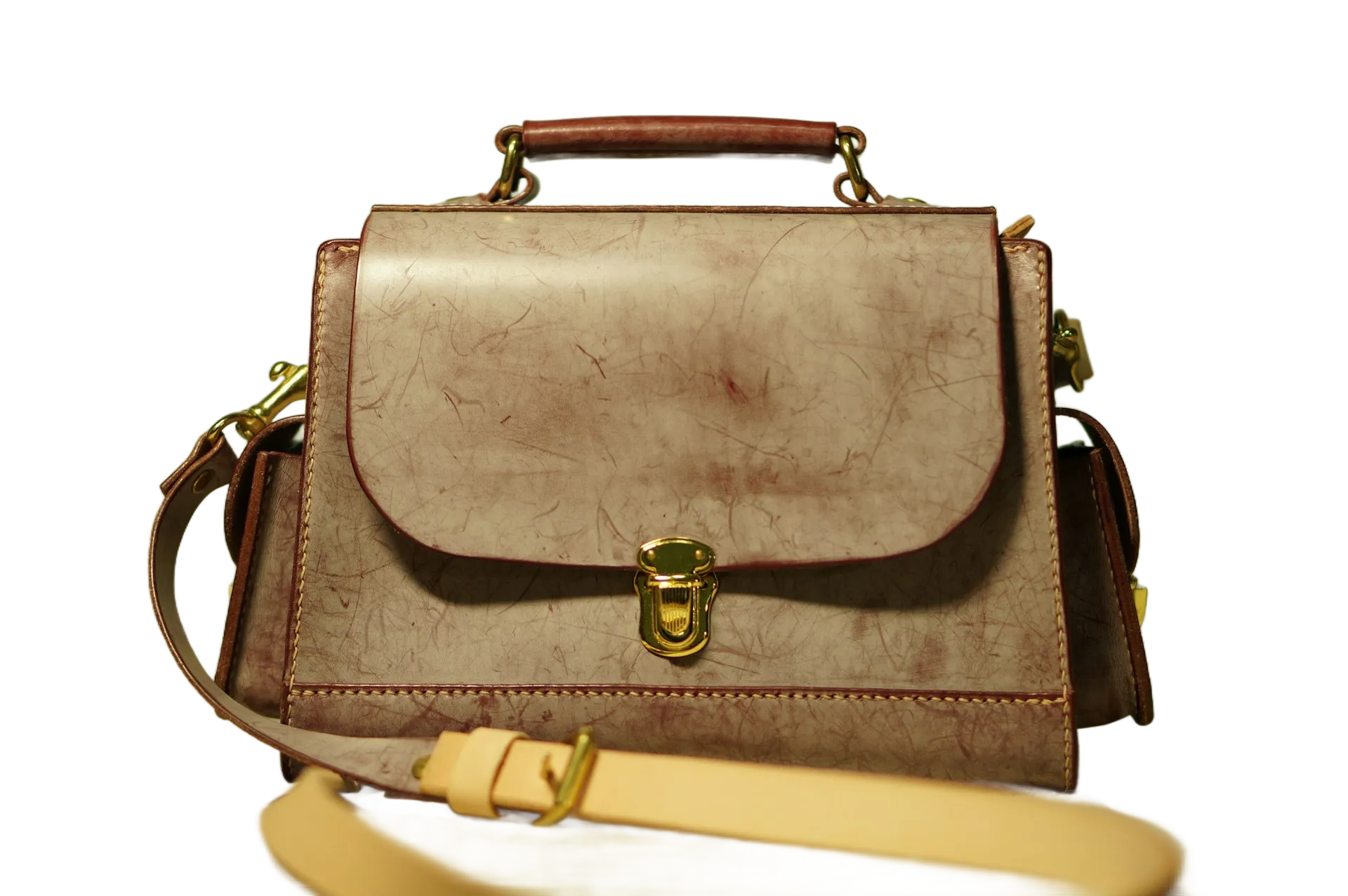
Our image background remover works with products, people, animals, food, logos, graphics, and more. See the results for yourself.
What Makes This Background Remover Different
Most "free" background removers limit your download to a low-resolution preview. You upload a 1024×1024 image, and they give you back 500×500 — unless you pay. BatchRemover doesn't do that.
✦ RecommendedBatchRemover (Free) | Typical "Free" Tools | |
|---|---|---|
| Download resolution | Original size — upload 4K, download 4K | Downscaled to 50% or less |
| Watermarks | None | Often added to free downloads |
| Account required | No | Usually required to download |
| Background replacement | Included free — solid colors or custom image | Often a paid feature |
| Background resize | Included free — fit any platform size | Rarely available |
| Export formats | PNG, JPG, and WebP | PNG only |
| Batch processing | Up to 60 images at once (paid plans) | 1 image at a time |
Every feature listed in the BatchRemover is available right now, without creating an account.
Remove, Replace, Resize — All in One background Tool
Most free background remover tools stop at removal. BatchRemover keeps going — replace background, resize it for any platform, and export in any format.
AI Background Remover with Precision Edge Detection
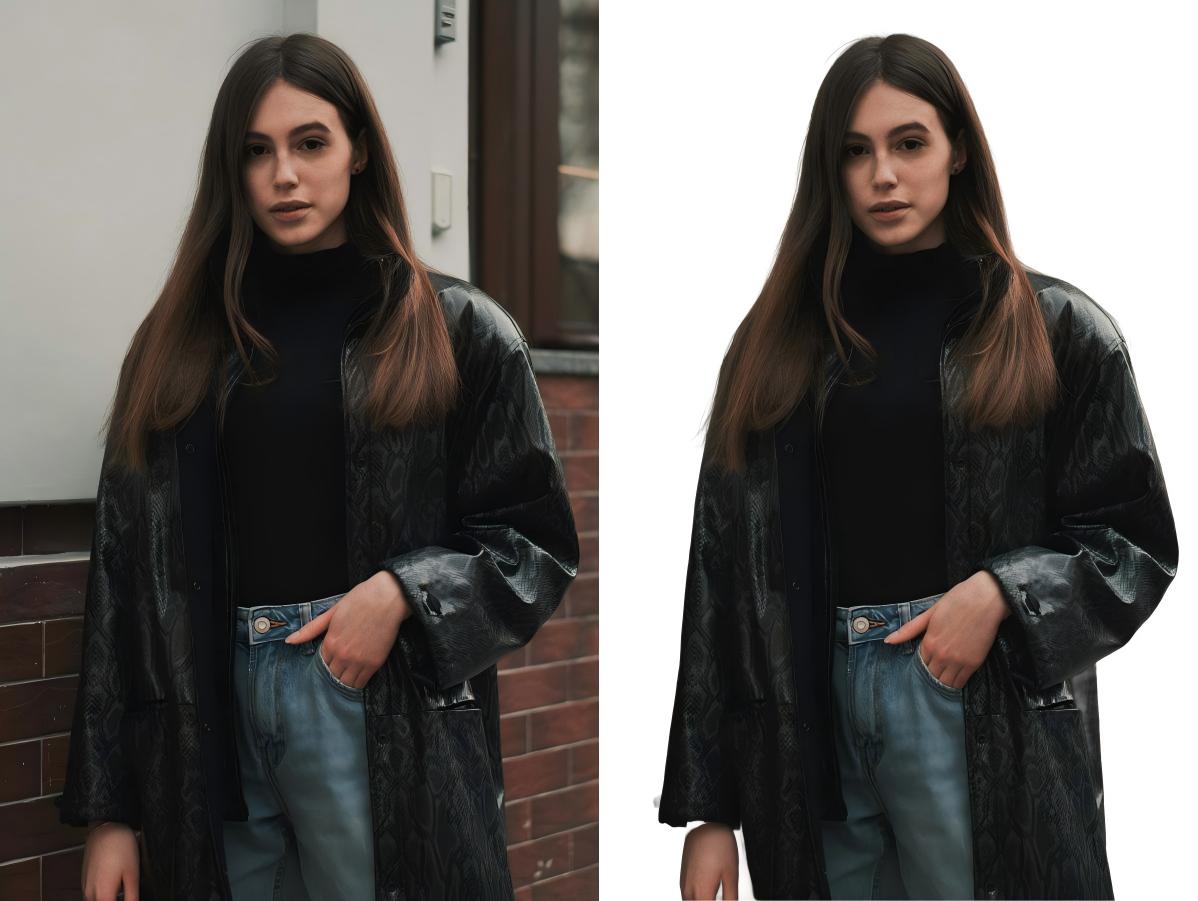
Our AI background remover handles the hard parts automatically — hair, fur, transparent objects, complex product shapes. Upload your photo and get a clean cutout in seconds. Works with any image type: product photos, portraits, logos, graphics, and more.
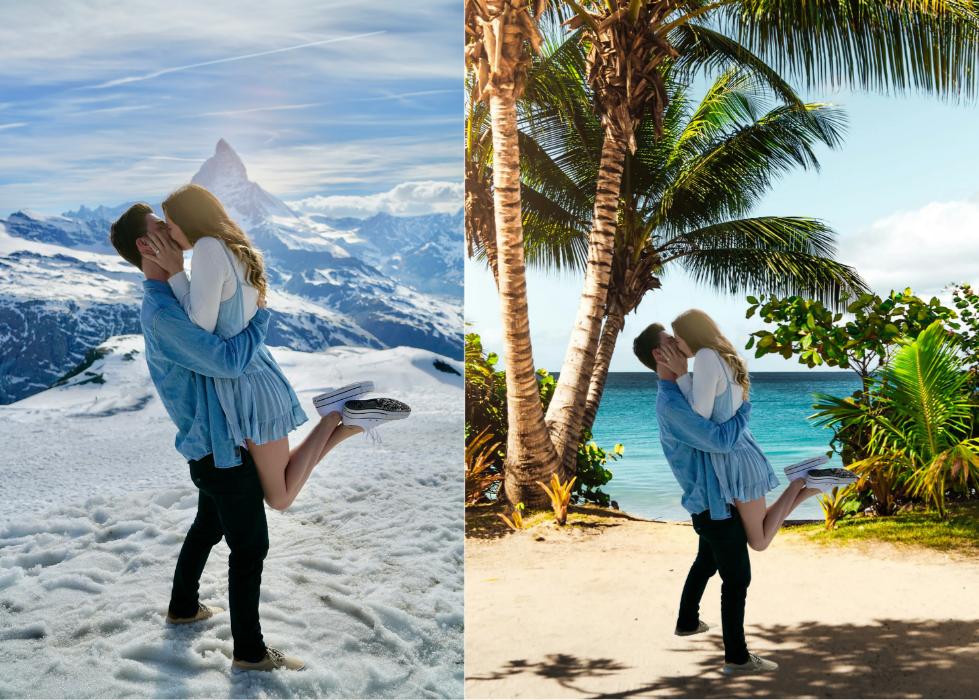
Change Background Color or Add a Custom Image
Need a white background for your Amazon listing? A blue background for a passport photo? A branded backdrop for social media? After removing the background, pick any solid color, upload your own background image, or resize the canvas to fit any platform — Instagram, eBay, Shopify, or any custom dimension.
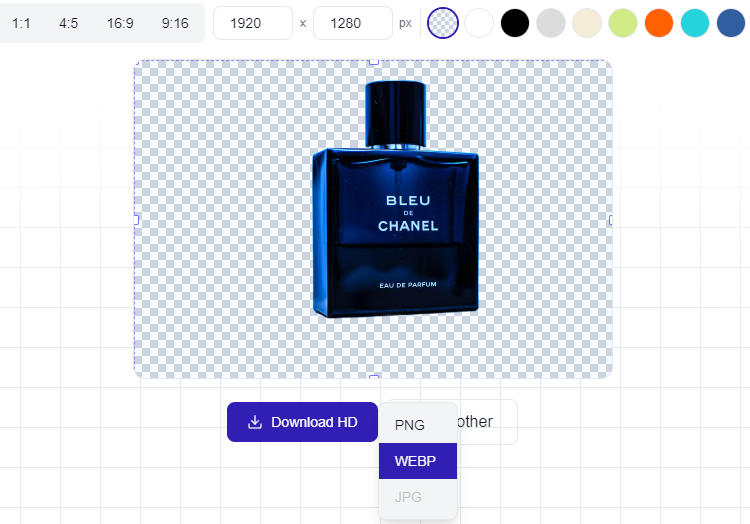
Download as PNG, JPG, or WebP — Always Full HD
Choose the format that fits your workflow. Transparent PNG for design and compositing. Compressed JPG for e-commerce listings and web pages. Modern WebP for faster page loads. Every download is at your original image resolution — no downscaling, no watermarks, no surprises.
Batch Background Remover — Process Multiple Images at Once
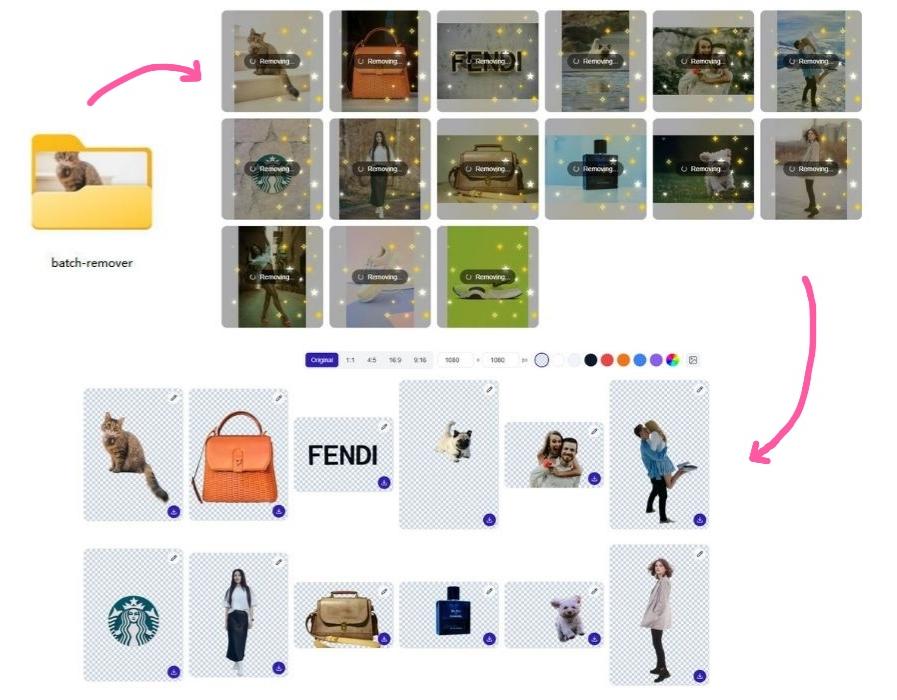
Listing 50 products this week? Editing a full photoshoot? Stop uploading images one by one. BatchRemover lets you upload a batch of images — or an entire folder, remove all backgrounds simultaneously. Download everything as a ZIP, ready to use.
Single image processing is always free. Batch processing starts at $0.04 per image with a credit pack.
Who Uses This Free Image Background Remover
E-Commerce Sellers
Create clean white-background product photos that meet Amazon, eBay, and Shopify listing requirements.
Photographers
Batch process portraits, headshots, and event photos. Remove studio backdrops or outdoor backgrounds in seconds.
Graphic Designers
Export transparent PNGs for compositing, mockups, and multi-layer design projects.
Social Media Creators
Make scroll-stopping posts with clean cutouts and custom branded backgrounds.
Print-on-Demand Sellers
Prepare transparent designs for t-shirts, mugs, phone cases, and posters.
ID & Passport Photos
Remove any background and replace it with the white or blue backdrop required for official documents.
How to Remove Background from Image in 3 Steps
The fastest AI background remover online — no design skills, no software, no waiting.
Upload Your Photo
Drag, drop, or select your images. Our free background remover accepts JPG, PNG, and WebP — single image or full folder.
AI Removes the Background
Our AI background remover detects edges with precision — hair, fur, complex shapes, products — all processed automatically in seconds.
Download and Use Anywhere
Choose PNG, JPG, or WebP and download at full resolution. Ready for e-commerce, social media, ads, or any design project.
Pricing for BatchRemover
New users get 20 free credits to try batch removal.
$0/ image
- ✓Full HD download at original resolution
- ✓No watermarks
- ✓No account required
- ✓Change background to any color or image
- ✓Resize background for any platform
- ✓Export as PNG, JPG, or WebP
- ✓One image at a time
$0.181/ image
- ✓Up to 30 images per batch
- ✓Credits never expire
- ✓Priority processing queue
$0.077/ image
- ✓Up to 60 images per batch
- ✓Folder upload supported
- ✓Priority processing queue
Frequently Asked Questions
Is BatchRemover really a free background remover?
Yes. BatchRemover is a free background remover online. No account required, no watermarks, no resolution limits. Paid plans are only for batch processing (multiple images at once).
How is BatchRemover different from remove.bg or other bg removers?
Most "free" background removers downscale your output. BatchRemover gives you the full original resolution for free. We also include background replacement, background resizing, and multi-format export (PNG, JPG, WebP) at no cost.
What formats does the image background remover support?
Our background remover accepts JPG, PNG, and WebP as input. When downloading, choose from transparent PNG, compressed JPG, or modern WebP — whatever fits your workflow.
How does batch background removal work?
Upload multiple images or a full folder, and our AI bg remover processes all of them at once. Download results individually or as a ZIP. No waiting between images, no repetitive clicks.
Can I change the background after removing it?
Yes. After the AI removes your background, you can replace it with any solid color, or upload your own background image, or resize the background canvas to match platform dimensions (Amazon, Instagram, eBay, etc.) — all included free.
Are my images safe?
Your images are processed securely and are not stored permanently on our servers. We do not use your images for training or share them with third parties. Processed images are automatically deleted after a short period.
Can I use background-removed images commercially?
Yes. Every image you process with our background remover — free or paid — belongs entirely to you. Use them for product listings, ads, marketing materials, or any commercial project.
What does "remove bg HD" mean? Is the quality really full resolution?
Yes. "Remove bg HD" means your downloaded image retains the exact resolution of your uploaded original. If you upload a 1920×1080 image, you download a 1920×1080 result. There is no downscaling, no compression artifacts, and no quality loss — this applies to the free tier as well.
What's the difference between the free and paid background remover plans?
The free plan lets you remove background from image files one at a time — perfect for occasional use. Paid plans unlock batch processing: upload folders, process multiple photos at once, and download everything as a ZIP.
The Best Free Background Remover Online — Try It Now
No sign-up. No watermarks. Remove background from your photos in seconds and download in full HD. Single images free forever — upgrade for batch power.