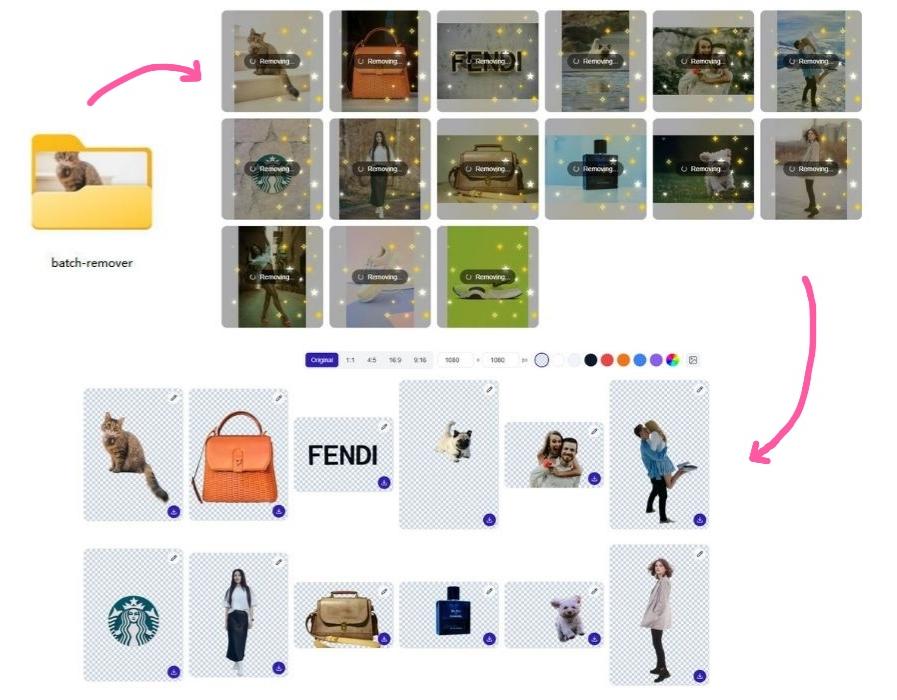
Most background remover tools are technically free — until you try to download your result. The free tier gives you a low-resolution preview or slaps a watermark on it. Want the full-resolution file? That's a paid feature. Create an account first. Enter your email. Upgrade to Pro.
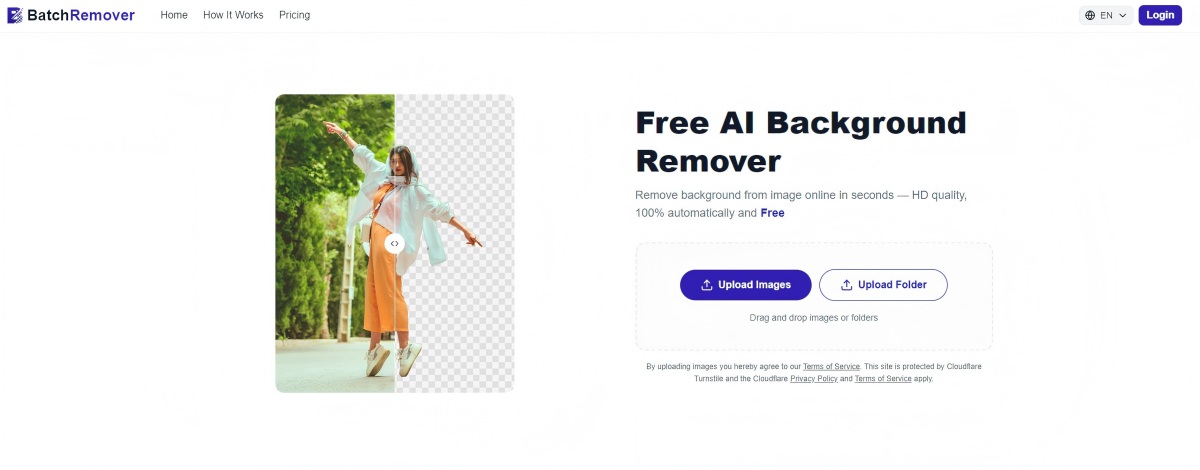
BatchRemover is a free online background remover that lets you erase backgrounds from any image in seconds — powered by AI, no login required, no watermarks. Upload your image, remove the background, download the result. That's it.
What Is a Free Background Remover?
A free background remover is an AI-powered tool that automatically detects and removes the background from a photo, leaving the subject — a person, product, logo, or graphic — on a transparent background. The best background removers do this in seconds, with no manual selection or photo editing skills needed.
BatchRemover is an instant background remover built for everyone: no Photoshop knowledge, no account, no cost. Whether you're uploading an image for a product listing, a social post, or a design project, the AI background remover handles it automatically.
What You Get for Free
Here's everything available with no account:
| Feature | Free |
|---|---|
| AI background removal | ✅ |
| Remove backgrounds in seconds | ✅ |
| Change background color | ✅ |
| Replace with a new background image | ✅ |
| Adjust canvas size and dimensions | ✅ |
| Export as PNG (transparent background) | ✅ |
| Export as JPG or WebP | ✅ |
| HD download (full resolution) | ✅ |
| No watermarks | ✅ |
| No signup or login | ✅ |
| Batch background processing | Pro |
How to Remove a Background for Free
Step 1: Open BatchRemover
Go to BatchRemover in your browser — no download, no installation, no account creation. The tool is free to use immediately.
Step 2: Upload Your Image
Drag and drop your image onto the upload area, or click to browse your files. Supported formats: JPG, PNG, WebP.
Step 3: AI Removes the Background Automatically
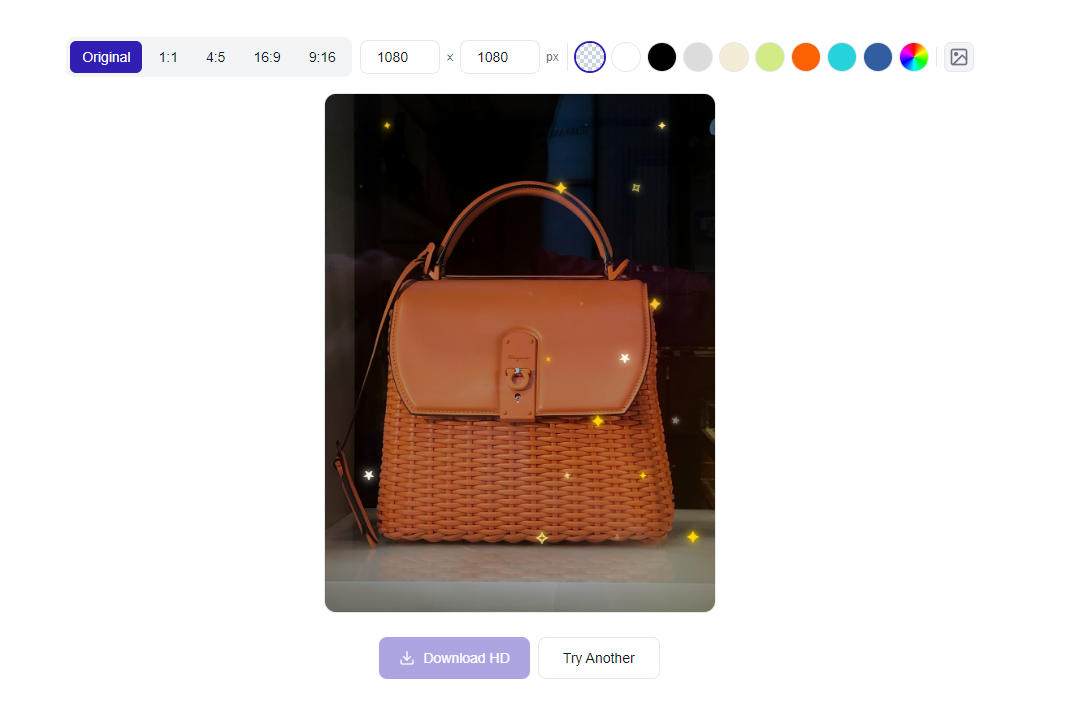
The AI will automatically detect and remove the background in seconds. It isolates the subject — whether it's a product, portrait, animal, or graphic — and erases the background cleanly, preserving fine edges like hair and fur without manual masking.
No lasso tool. No layer masking. Seamless background removal, instantly.
Step 4: Change the Background (Optional)
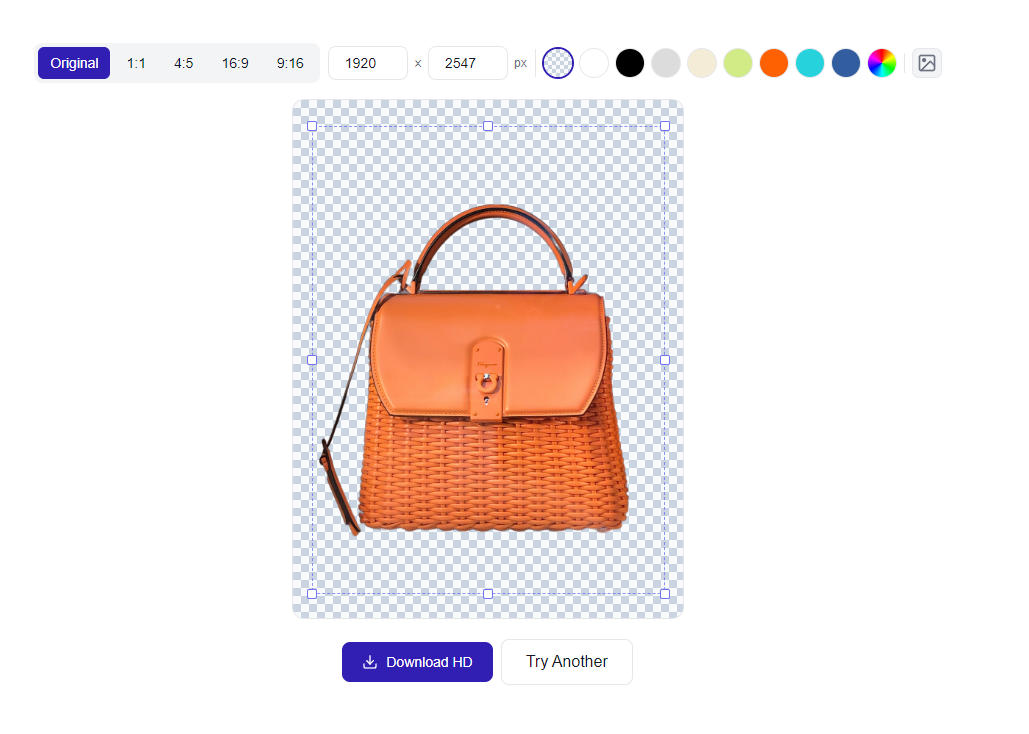
Background removed — now what? You don't have to stop at a transparent PNG. You can:
- Change the background color — white, black, or any color of your choice
- Replace with a custom background image — upload your own or use a preset to spice up your image
- Resize the canvas — set exact pixel dimensions for your edited image
- Choose your export format — PNG format for transparency, JPG or WebP to reduce file size
Step 5: Download
Click download. Your image is ready — full resolution, no watermark. No account needed, no strings attached.
What Are the Benefits of Removing a Background?
Removing a photo background unlocks a lot of possibilities:
Clean product images. Marketplaces like Amazon and Etsy require white background product images. An ai background remover lets you prep product images in seconds without a studio setup.
Transparent assets for design. Placing a subject on a transparent background makes it easy to drop into any design — presentations, ads, banners, social media posts — without the original background interfering.
Consistent branding. When every image in a set has its background removed and replaced with the same background of your choice, the result looks polished and professional across every channel.
Faster photo editing workflow. Removing unwanted objects or busy backgrounds manually in Photoshop takes minutes per image. An online background remover does it in seconds, freeing up time for more creative work.
Who Is This For?
Online Sellers
Losing customers due to inconsistent or low-quality product images? BatchRemover helps you quickly remove backgrounds and apply a clean white background across every product photo — no design skills needed.
Social Media Creators
Need a clean cutout for a post, story, or thumbnail? Erase the background, drop in a new one that matches your vibe, and export — no Photoshop required.
Students and Freelancers
Free access means professional-quality results without a budget. Remove image backgrounds for presentations, portfolios, or client work instantly.
HR and Recruiters
Processing headshots for company pages or ID cards? Remove each background in seconds and download in PNG format — no software, no designer needed. Pro users can batch process an entire set at once.
Small Business Owners
No design team? BatchRemover is a photo background remover that anyone can use — for websites, menus, flyers, and ads. It's free, fast, and requires no technical skills.
Is BatchRemover the Best Background Remover?
That depends on what you need. Here's how it compares:
| BatchRemover | Remove.bg | Canva | |
|---|---|---|---|
| Free to use | ✅ Fully free | ⚠️ Limited free | ⚠️ Limited free |
| No signup required | ✅ Yes | ❌ Account required | ❌ Account required |
| Background replacement | ✅ Yes | ⚠️ Basic | ✅ Yes |
| HD download (full resolution) | ✅ Yes | ⚠️ Paid only | ⚠️ Paid only |
| No watermarks | ✅ Yes | ❌ On free tier | ⚠️ Depends |
| Works on mobile | ✅ Yes | ✅ Yes | ✅ Yes |
| Batch background removal | Pro | ❌ | ❌ |
For removing a background for free, with full HD output, no account, and no watermarks — BatchRemover is hard to beat. Need to process multiple images at once? That's available on the Pro plan.
Frequently Asked Questions
How do I remove the background from an image?
Go to BatchRemover, upload your image, and the AI will automatically remove the background in seconds. Download the result as a PNG with a transparent background or choose a new background color before exporting.
Is there a free background remover that works without signing up?
Yes. BatchRemover is a free background remover with no login required. You don't need an account, credit card, or email address to use it.
Can I change the background of a photo after removing the original one?
Yes. After the background is removed, you can replace it with a solid color, a gradient, or a custom background image of your choice — all within the same tool before downloading.
How do I make a background transparent?
Upload your image to BatchRemover, let the AI erase the background, and download as PNG. PNG format preserves the transparent background, making the image ready for layering in any design tool.
Can I remove backgrounds from multiple images at once?
Yes, with a Pro plan. Batch background removal is available for Pro users — upload multiple images at once and download every image with its background removed in one go.
Can I remove a background on my phone?
Yes. BatchRemover is a browser-based online background remover that works on mobile devices — iPhone, Android, and tablets — without any app download.
Does removing a background affect image quality?
No. The AI removes the background while preserving the full resolution of the original image file. There's no quality loss or compression applied during background removal.
What image formats are supported?
JPG, PNG, and WebP for upload and download. PNG format is recommended when you need to keep the transparent background. JPG or WebP automatically apply a white background.
What is the best background remover for product photos?
For single product images, BatchRemover is hard to beat — it's completely free with no account required, and you get the full HD resolution file every time, no watermarks. Most competing tools either cap free downloads at low resolution or require a subscription to access the original file size. For sellers who need to process an entire product catalog at once, BatchRemover's Pro plan adds batch background removal so you can handle hundreds of images in a single upload.
Try It Now — No Account Needed
Remove backgrounds for free in seconds. No signup. No credit card. No watermarks.