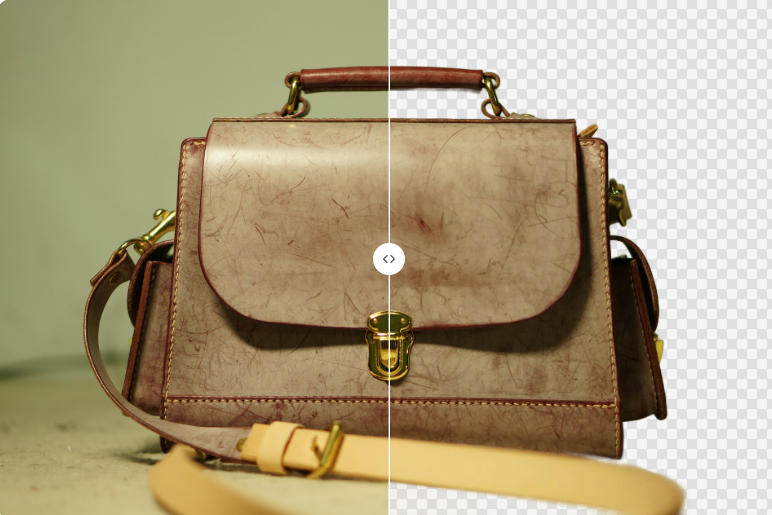
Until recently, looking for a remove.bg alternative was optional. It isn't anymore. remove.bg's own site confirms that starting December 1, 2026, background removal moves to Leonardo.Ai, with the web product folding into Canva. We covered what that means in detail in remove.bg is shutting down.
So the question has changed. It is no longer "is there something better than remove.bg," it is "where does my workflow actually go." This comparison is built around that question.
How We Compared These Tools
Most "best alternatives" lists rank tools by how good their marketing copy sounds. Nearly every background remover claims to be free, watermark-free, and unlimited. The useful question is narrower:
Where does each tool put its wall?
Every tool has one. Some cap output resolution. Some stamp a watermark. Some let you process freely and then demand a login at the download step. Some give you one free export and then stop. Knowing which wall you will hit, and when, is the entire decision.
Two notes on sourcing, because this matters when you are about to migrate a workflow:
- Resolution and signup findings come from our own hands-on test, where we ran one identical 1920×2884px product image through each tool without creating an account.
- Prices were checked against vendor pricing pages on September 11, 2026. Where a vendor's pricing page could not be read directly, we say so rather than quoting a number we cannot stand behind. Pricing changes often, so confirm on the vendor's site before you buy.
The Tools
BatchRemover
We build this one, so read the rest of this list before taking our word for anything.
Single images are free, with no account, at your original resolution and with no watermark. In our test, the 1920×2884px image came back at 1920×2884px. You pick the export format before downloading: PNG for transparency, JPG for a white background, WebP for smaller files. Background color replacement and canvas resizing are included at no cost.
The wall is batch. Processing more than one image at a time is a paid feature, starting at $0.04 per image with a credit pack. Credit packs run up to 30 images per batch, yearly plans up to 60 per batch with folder upload and a priority queue. New accounts get 20 free credits to test batch output before paying. Original filenames are preserved on download, which matters when you are matching results back to SKUs.
Best for: people who want the thing remove.bg was (upload, cut out, download, done) plus a real batch mode when volume picks up.


Drag and drop images or folders
Pixelcut
Credit where it is due: on free-tier terms, Pixelcut is the strongest alternative in this list. Its background remover requires no signup, adds no watermark, and returns HD downloads at original resolution, supporting images up to 8000×8000px and 100MB. That is a genuinely generous free tier, and we are not going to pretend otherwise.
The catch is that Pixelcut describes free background removal as limited in number of uses without publishing a specific figure, so how far you get before hitting the wall is not something you can plan around in advance. Pro runs $10/month, or about $8/month billed annually.
Best for: occasional high-resolution cut-outs where you would rather not think about formats or batches.
Photoroom
Photoroom is a polished mobile-first editor with strong scene and template tooling, and its AI quality is good. In our test it did not add a watermark, which corrects a claim you will see repeated in a lot of comparison posts.
Its actual limitation is subtler: the free export came back at 1598×2400px from our 1920×2884px original, roughly 83% of the original in each dimension. Not crippling like a hard megapixel cap, but it is not your file back either. Free accounts also have a limited monthly export count. Pro is $14.99/month or $100/year, and the separate developer API is priced at $0.02 per image.
If your work is as much about composing a scene as isolating a subject, Photoroom's templates are a real advantage over a pure cut-out tool. Our full breakdown is on the Photoroom alternative page.
Best for: social and lifestyle imagery where you want backgrounds designed, not just removed.
Canva
Canva is where remove.bg officially points web users, so it deserves a fair hearing.
It is a full design suite rather than a dedicated cut-out tool. You need an account before you can use it, and on a free plan transparent PNG download is limited to a single use before an upgrade prompt. Background removal itself sits inside the editor, and Canva does offer bulk background removal on paid plans.
We could not read Canva's pricing page directly (it blocks automated access), so we are not going to quote a monthly figure. Check canva.com for current pricing.
If you are already paying for Canva and building social posts, presentations, or marketing assets, having removal inside the editor you already live in is a genuine convenience, and the migration is close to frictionless. If you wanted a tool that does one job without an account, it is a different product category. More detail on the Canva alternative page.
Best for: existing Canva subscribers whose cut-outs feed straight into Canva designs.
Adobe Express
Adobe Express removes backgrounds for free, but requires an Adobe account, and free use is subject to a daily generation allowance. Upload limit is 40MB.
In our hands-on test, the friction showed up at a specific and annoying moment: processing worked without interruption, then the download step required signing in. If you are evaluating tools quickly, that is the kind of thing you discover after you have already done the work.
One clarification worth making, because it trips people up: on Adobe's own pricing table, the feature marked Premium is "Erase" (object removal), which is not the same thing as background removal. Premium is listed around $9.99/month, but we could not confirm annual pricing from Adobe's site directly. See the Adobe Express alternative page for the full walkthrough.
Best for: people already inside Adobe's ecosystem who don't mind signing in.
Removal.ai
Removal.ai's free tier follows the same pattern as remove.bg: unlimited previews, but the free download is low resolution at 0.25MP, with one HD credit on registration. In our test the free download came out fixed at 399×600px.
Pricing is unusual in that it is credit-based rather than subscription-first. Pay-as-you-go starts at $1.89 per image for a single credit and scales down to about $0.18 per image at 8,000 credits ($1,499). Subscriptions start at $5.99/month for 40 credits, roughly $0.14 per image.
Best for: buyers who want a large credit block with no recurring commitment and are fine with per-credit math.
Leonardo.Ai
This is the official destination for remove.bg's API traffic, and it is the right answer for exactly one audience: developers with an existing integration.
Leonardo's documentation prices background removal at $0.1047 per image via API and publishes a migration guide with a full parameter mapping table. Consumer plans start with a free tier of 150 daily fast tokens, with paid tiers above that, though we could not read Leonardo's pricing page directly to confirm current figures.
Whether Leonardo offers a standalone web background remover in the way remove.bg did is not something we could confirm from the documentation, which describes the API path.
Best for: developers migrating an API integration. If you were a web user, this is probably not your destination.
Side-by-Side
| Tool | Free download | Signup to download | Batch | Entry paid price |
|---|---|---|---|---|
| BatchRemover | Full original resolution, no watermark | No (single images) | Yes, 30-60 per batch | $0.04 / image |
| Pixelcut | Full resolution, no watermark, use count limited | No | Not confirmed | $10 / mo ($8 annual) |
| Photoroom | ~83% of original (1598×2400 from 1920×2884) | No | Yes | $14.99 / mo, $100 / yr |
| Canva | 1 transparent PNG, then upgrade | Yes | Yes, paid plans | See canva.com |
| Adobe Express | Free with daily allowance | Yes | Not confirmed | ~$9.99 / mo |
| Removal.ai | 0.25MP (399×600 in our test) | No, but HD needs credit | Yes | $1.89 / image, down to $0.18 |
| Leonardo.Ai | API-focused, 150 daily tokens free | Yes | API | $0.1047 / image (API) |
Resolution and signup columns reflect our own testing. "Not confirmed" means we could not verify it from official sources, not that the feature is absent.
Which One Should You Actually Pick
If you processed one image at a time and want that back: the shortlist is BatchRemover and Pixelcut. Both skip signup, both return full resolution, neither watermarks. Pick Pixelcut if you want maximum resolution headroom on the occasional file. Pick BatchRemover if you want unlimited free single images, format choice at download, and a batch mode waiting when you need it.
If you run volume: this is where the field thins out fast. Per-credit pricing built for one-off use gets expensive and tedious at catalog scale. Look at bulk background removal with a real queue, folder upload, and preserved filenames. Pricing is on the plans page.
If your cut-outs feed into designs: Canva if you are already a subscriber, Photoroom if you want scene templates and are working mostly on mobile.
If you are migrating an API: follow the official Leonardo.Ai path. And test a representative batch of your real images before cutting production over, because a 200 response does not mean the output is equivalent.
If you are price-shopping in bulk credits: Removal.ai's large packs get cheap per image, provided you are comfortable with the credit model.
One Last Thing
Between now and December 1, you are going to see a lot of posts about remove.bg alternatives, and a meaningful share of them are published by background removal tools using the shutdown as a traffic event. This one included. That is fine, as long as you know what you are reading and the claims can be checked.
So check them. Run your own image through two or three of these, download the result, and look at the pixel dimensions of the file you actually got. It takes five minutes and it settles the question better than any comparison table, ours included.